Lesson 12: Continuous Integration
| Homepage | Content | Slides | Video |
Warning
This lesson is under construction. Learn from it at your own risk. If you have any feedback, please fill out our General Feedback Survey.
Continuous Integration
Continuous Integration is a name for any kind of automated tool that performs the following tasks:
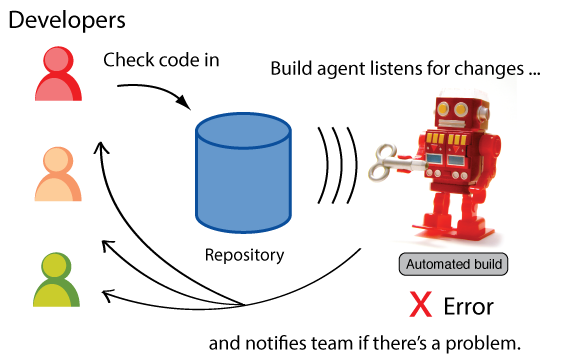
- Detects changes to your project
- Runs a suite of tests on the changed code
- Alerts the people that care if something good/bad happened
Automated Testing
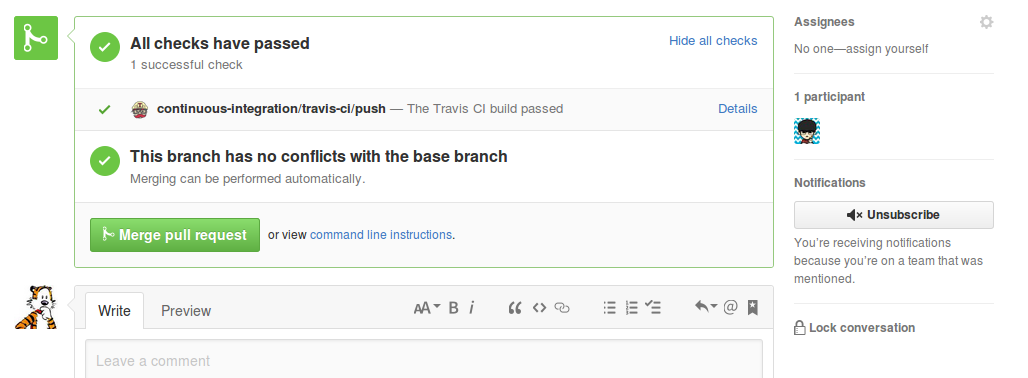
Tool: Travis CI
Travis CI is very popular among Github users because it is easy to setup with Github projects and integrates well with Github workflows. It’s also free for Open Source projects, although the service itself is not Open Source.
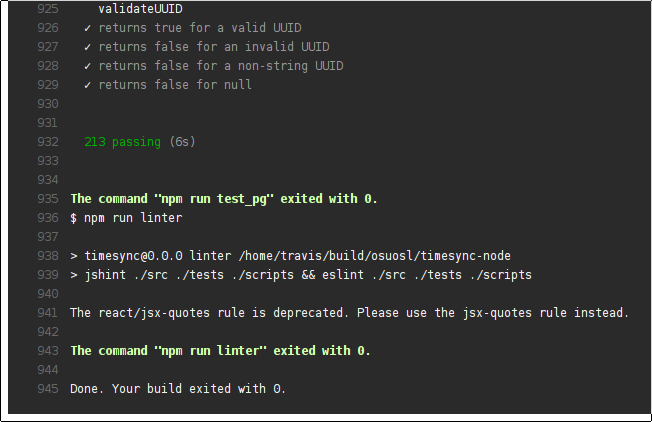
Runs test suites for:
- C / C++
- Java
- Javascript
- Python
- Ruby
- Many more on the Travis CI docs!
Tool: Jenkins
Jenkins is a more powerful version of Travis, but as a result is more complicated to use and set up. While you can pay to use a public instance of Jenkins, it is more common to run your own instance of Jenkins.
- Does pretty much anything you can tell a computer to do, automatically.
- Builds and uploads binaries (releases).
- Runs tests.
- Reports build successes/failures.
- Also has plugins!
TODO: Setup Travis on a GH Repo
Further Reading
- Jenkins Documentation
- The Jenkins project documentation. If you need a broad overview read the Getting Started with... docs.
- TravisCI Documentation
- If you end up working on a large project on GitHub you’re going to interface with TravisCI sooner or later.
- CircleCI Documentation
- CircleCI is a tool we didn’t get to touch on. It is very similar to Travis.