Lesson 16: DNS
| Homepage | Content | Slides | Video |
Warning
This lesson is under construction. Use it for learning purposes at your own peril.
If you have any feedback, please fill out our General Feedback Survey.
Problems DNS Solves
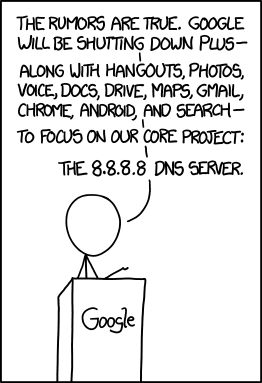
The Domain Name System (DNS) translates human-readable URLs (devopsbootcamp.osuosl.org) into computer IP addresses (140.211.15.183).
It works by storing records in a distributed tree-like hierarchy. It was designed like this because it scales well.
How DNS Works
- Computer A wants to fetch data from devopsbootcamp.osuosl.org. (notice the . at the end of the address).
- Computer A checks the local cache.
- If the address isn’t in the cache, A contacts the DNS root server. (We’re actually skipping a few layers of cache. Read up for more info on that.)
- One of the root nodes tells A to check the org node.
- The org node is contacted and tells A to check the osuosl node.
- The osuosl node tells it to check the devopsbootcamp node.
A DNS Request
- A computer makes a request for http://osuosl.org..
- This request gets sent to the root (.) of the DNS tree.
- The root sends it off to the org (top level domain) branch.
- The org node sends it off to the osuosl (domain) branch.
- The osuosl node sends it to the devopsbootcamp (subdomain) branch.

DNS Records
| Acronym | Name |
| A, AAAA | IP Addresses |
| MX | SMTP Mail Exchangers |
| NS | Name Servers |
| SOA | DNS Zone Authority |
| PTR | Pointers for Reverse DNS Lookups |
| CNAME | Domain Name Aliases |
A Records
The A record is used to map an IP address to a domain name. This is as close to a ‘regular’ record as you can get.
osuosl.org. 300 IN A 140.211.15.183
MX Records
osuosl.org.     3600    IN  MX  5 smtp3.osuosl.org.
osuosl.org.     3600    IN  MX  5 smtp4.osuosl.org.
osuosl.org.     3600    IN  MX  5 smtp1.osuosl.org.
osuosl.org.     3600    IN  MX  5 smtp2.osuosl.org.
NS Records
osuosl.org.     86258   IN  NS  ns1.auth.osuosl.org.
osuosl.org.     86258   IN  NS  ns2.auth.osuosl.org.
osuosl.org.     86258   IN  NS  ns3.auth.osuosl.org.
SOA (Authority) Records
- A DNS server is authoritative if it has a Start of Authority (SOA) record for a domain
- The root-servers contain SOA records for the TLDs and gTLDs
- The NS servers for each (g)TLD contain SOA records for each registered domain
- ... and so on...
CNAME Records
NXDOMAIN Records
Tells you there is no answer to a query:
Host something.invalid.osuosl.org not found: 3(NXDOMAIN)
Some ISPs and others never serve NXDOMAINS, instead they point you at themselves.
The Root
$ dig ns .
;; ANSWER SECTION:
.           512297  IN  NS  i.root-servers.net.
.           512297  IN  NS  e.root-servers.net.
.           512297  IN  NS  d.root-servers.net.
.           512297  IN  NS  j.root-servers.net.
.           512297  IN  NS  b.root-servers.net.
.           512297  IN  NS  a.root-servers.net.
.           512297  IN  NS  f.root-servers.net.
.           512297  IN  NS  h.root-servers.net.
.           512297  IN  NS  g.root-servers.net.
.           512297  IN  NS  c.root-servers.net.
.           512297  IN  NS  m.root-servers.net.
.           512297  IN  NS  k.root-servers.net.
.           512297  IN  NS  l.root-servers.net.
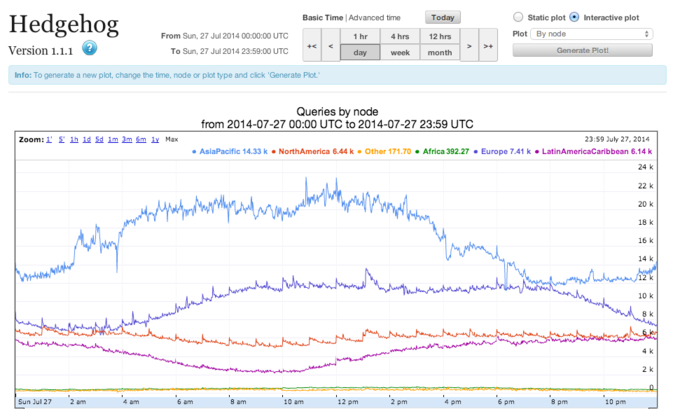
The Thirteen
Example: Recursive Request
First we query a NS record for .:
$ dig ns .
;; QUESTION SECTION:
;.              IN  NS

;; ANSWER SECTION:
.           518400  IN  NS  i.root-servers.net.
.           518400  IN  NS  a.root-servers.net.
.           518400  IN  NS  l.root-servers.net.
.           518400  IN  NS  f.root-servers.net.
.           518400  IN  NS  b.root-servers.net.
.           518400  IN  NS  d.root-servers.net.
.           518400  IN  NS  k.root-servers.net.
.           518400  IN  NS  g.root-servers.net.
.           518400  IN  NS  h.root-servers.net.
.           518400  IN  NS  m.root-servers.net.
.           518400  IN  NS  e.root-servers.net.
.           518400  IN  NS  c.root-servers.net.
.           518400  IN  NS  j.root-servers.net.
Next we query NS for org.:
$ dig ns com. @a.root-servers.net
;; QUESTION SECTION:
;org.               IN  NS

;; AUTHORITY SECTION:
org.            172800  IN  NS  a0.org.afilias-nst.info.
org.            172800  IN  NS  a2.org.afilias-nst.info.
org.            172800  IN  NS  b0.org.afilias-nst.org.
org.            172800  IN  NS  b2.org.afilias-nst.org.
org.            172800  IN  NS  c0.org.afilias-nst.info.
org.            172800  IN  NS  d0.org.afilias-nst.org.

;; ADDITIONAL SECTION:
a0.org.afilias-nst.info. 172800 IN  A   199.19.56.1
a2.org.afilias-nst.info. 172800 IN  A   199.249.112.1
b0.org.afilias-nst.org. 172800  IN  A   199.19.54.1
b2.org.afilias-nst.org. 172800  IN  A   199.249.120.1
<truncated>
Next we query NS for osuosl.org.:
$ dig ns osuosl.org. @199.19.56.1
;; QUESTION SECTION:
;osuosl.org.            IN  NS

;; AUTHORITY SECTION:
osuosl.org.     86400   IN  NS  ns3.auth.osuosl.org.
osuosl.org.     86400   IN  NS  ns2.auth.osuosl.org.
osuosl.org.     86400   IN  NS  ns1.auth.osuosl.org.

;; ADDITIONAL SECTION:
ns1.auth.osuosl.org.    86400   IN  A   140.211.166.140
ns2.auth.osuosl.org.    86400   IN  A   140.211.166.141
ns3.auth.osuosl.org.    86400   IN  A   216.165.191.53
Next we query A for osuosl.org.:
$ dig a osuosl.org. @140.211.166.140
;; QUESTION SECTION:
;osuosl.org.            IN  A

;; ANSWER SECTION:
osuosl.org.     300 IN  A   140.211.15.183

;; AUTHORITY SECTION:
osuosl.org.     86400   IN  NS  ns1.auth.osuosl.org.
osuosl.org.     86400   IN  NS  ns2.auth.osuosl.org.
osuosl.org.     86400   IN  NS  ns3.auth.osuosl.org.

;; ADDITIONAL SECTION:
ns1.auth.osuosl.org.    86400   IN  A   140.211.166.140
ns2.auth.osuosl.org.    86400   IN  A   140.211.166.141
ns3.auth.osuosl.org.    3600    IN  A   216.165.191.53
TODO: Traverse the DNS Tree with dig
TODO: Run a DNS Server
Further Reading
- Try running dig on some of your favorite websites and see what you find.
- Read the manpage on dig and see what else you can find in the output.
- Try registering your own domain name and run a website using the Github Student Pack resources like Digital Ocean and DNSimple.